Export Therapy Notes as PDF or CSV for Your EHR
Download clinical notes as formatted PDF or CSV files. Attach to your EHR, practice management system, or patient records in seconds.
Last updated: March 2026
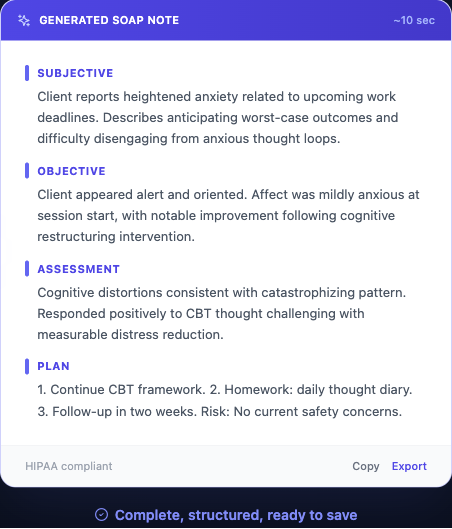
WellNotes lets you export clinical notes as professionally formatted PDF files or CSV spreadsheets. PDFs are ideal for attaching to patient charts in your EHR (Electronic Health Record) or printing for paper records. CSV exports are useful for bulk data migration, practice audits, or importing into other systems. You can export a single note or select multiple notes for batch download.
Step-by-step
- 1
Open the Notes dashboard
Navigate to /notes to see your full note list.
- 2
Select notes to export
Check the checkbox next to one or more notes you want to export. You can select all notes using the "Select All" checkbox.
- 3
Export as PDF
Click "Export PDF" to download a formatted PDF file. Each note is rendered on its own page with your note title, date, and structured sections. PDFs are suitable for printing or attaching to charts.
- 4
Export as CSV
Click "Export CSV" to download a spreadsheet-compatible file. Each note is a row with columns for date, title, template type, and full note content. Useful for bulk data migration or analysis.
Tips
- PDFs are the recommended format for EHR attachment or printing.
- CSV export is useful when migrating your notes to another system or for practice audits.
- You can export a single note or multiple notes at once.
Frequently asked questions
Can I export all my notes at once?
Yes. Use "Select All" on the dashboard, then click Export PDF or Export CSV to download all notes in a single file.
Does the PDF include the note metadata (date, client info)?
The PDF includes the note title (which you can name however you like) and creation date. WellNotes does not store client names or identifiers — that's your responsibility to add.
Is export available during the free trial?
PDF export is available on Starter and Professional plans. CSV export is available on Professional plans.
Related articles
Still have questions? Email our support team — we typically respond within one business day.